
SUMIFS formula in Excel
SUMIFS is a function to sum cells that meet multiple criteria. SUMIFS can be used to sum values when corresponding cells meet criteria based on dates, numbers, and text.
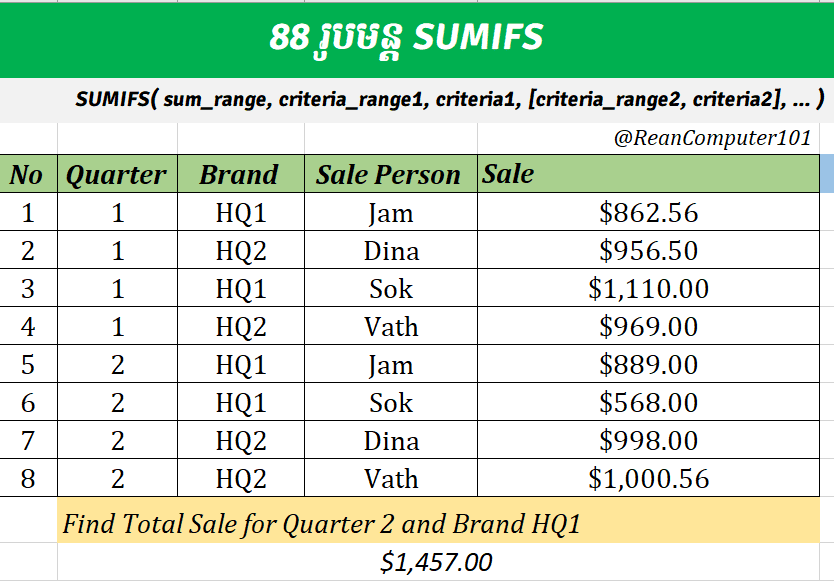
Watch the video in khmer for more detail, if you want to have more video like this please share to your friends.
FORMULA
=SUMIFS(sum_range, criteria_range1, criteria1, [criteria_range2, criteria2], ...)
◾ sum_range: Required, the range you want to calculate the total.◾ criteria_range1: Required, range of data that contain the criteria1.
◾ criteria1: Required, the condition to calculate
◾ [criteria_range2, criteria2]: optional, if you have more condition can put here.
Download Example Excel File below
Go To Next Video Below
Join My Special Courses To Level Up Your Skills: 👉 UP SKILLS 👈
Useful Links
⚡Learn Code Khmer (HTML, CSS, JavaScript, ReactJS, PHP,...)⚡Free Download Khmer Books PDF
⚡Telegram: ReanComputer101