
Working with Copy Paste, Format Painter and Clipboard in Excel
(របៀបប្រើ Copy Paste Cut Format Painter និង Clipboard)
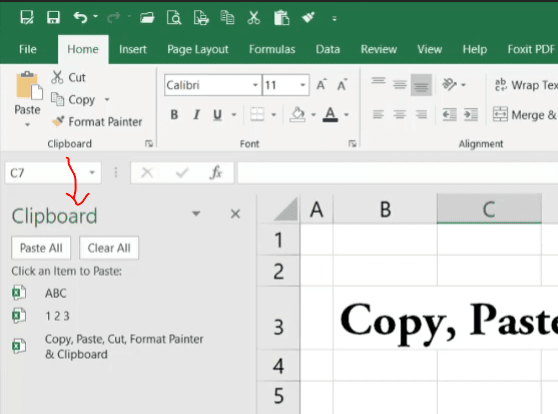
This Excel tutorial in Khmer show you step by step how to use Copy, Paste, Cut, Format Painter, and Clipboard in Microsoft Excel. These tools are very useful for faster working and help you save more time when editing Excel worksheet. You will learn easy way to copy data, move data, and paste information correctly inside Excel.
Copy Paste and Cut is very simple and important for everyday Excel work, but Format Painter is really great tool to copy text style, color, and formatting without copy the text content. Clipboard also help you manage copied items and use copy paste in faster and easier ways.
- Copy: Ctrl + C
- Paste: Ctrl + V
- Cut: Ctrl + X
Go To Next Video Below
Join My Special Courses To Level Up Your Skills: 👉 UP SKILLS 👈
Useful Links
⚡Learn Code Khmer (HTML, CSS, JavaScript, ReactJS, PHP,...)⚡Free Download Khmer Books PDF
⚡Telegram: ReanComputer101