
IF Formula in Excel
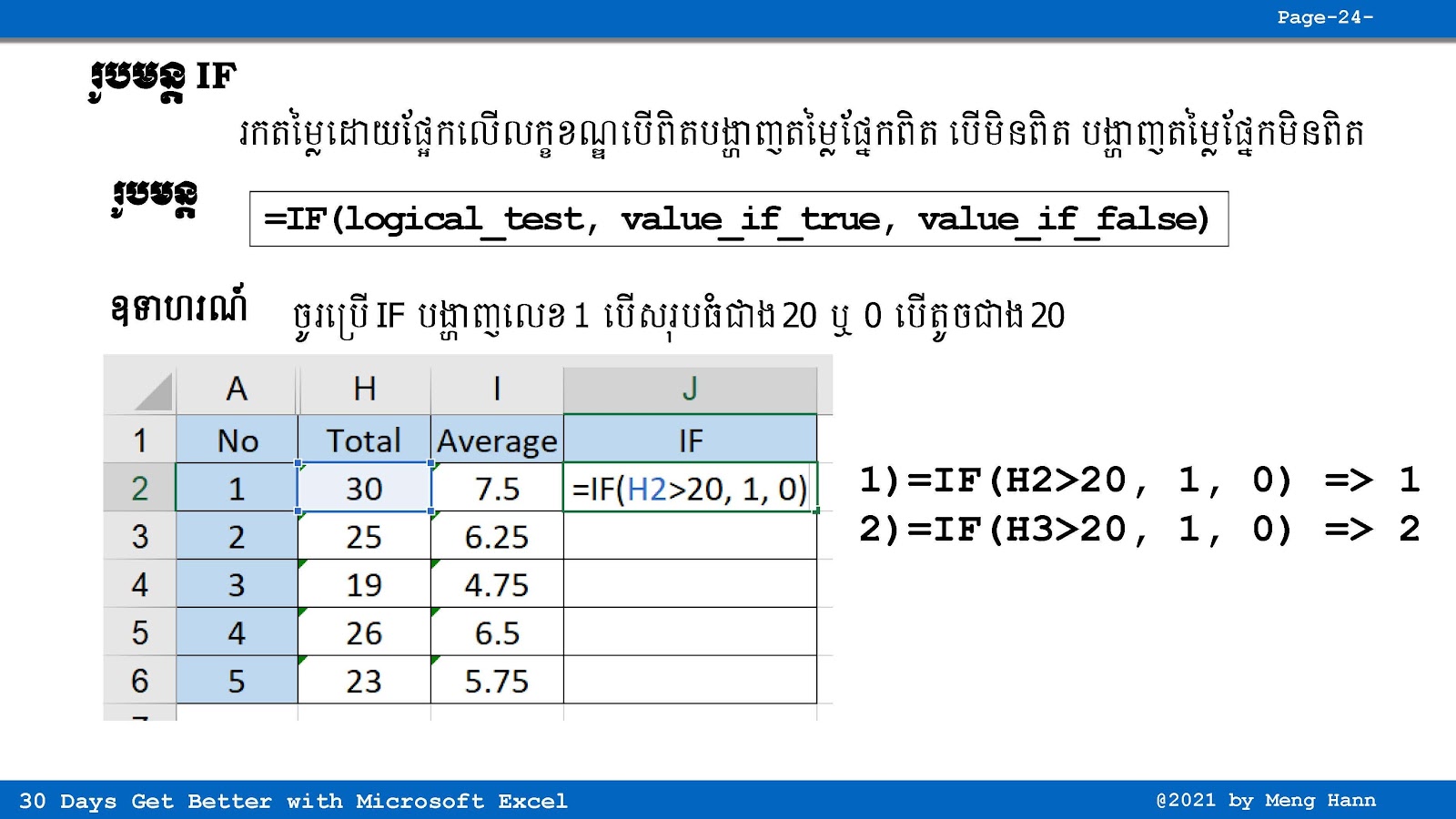
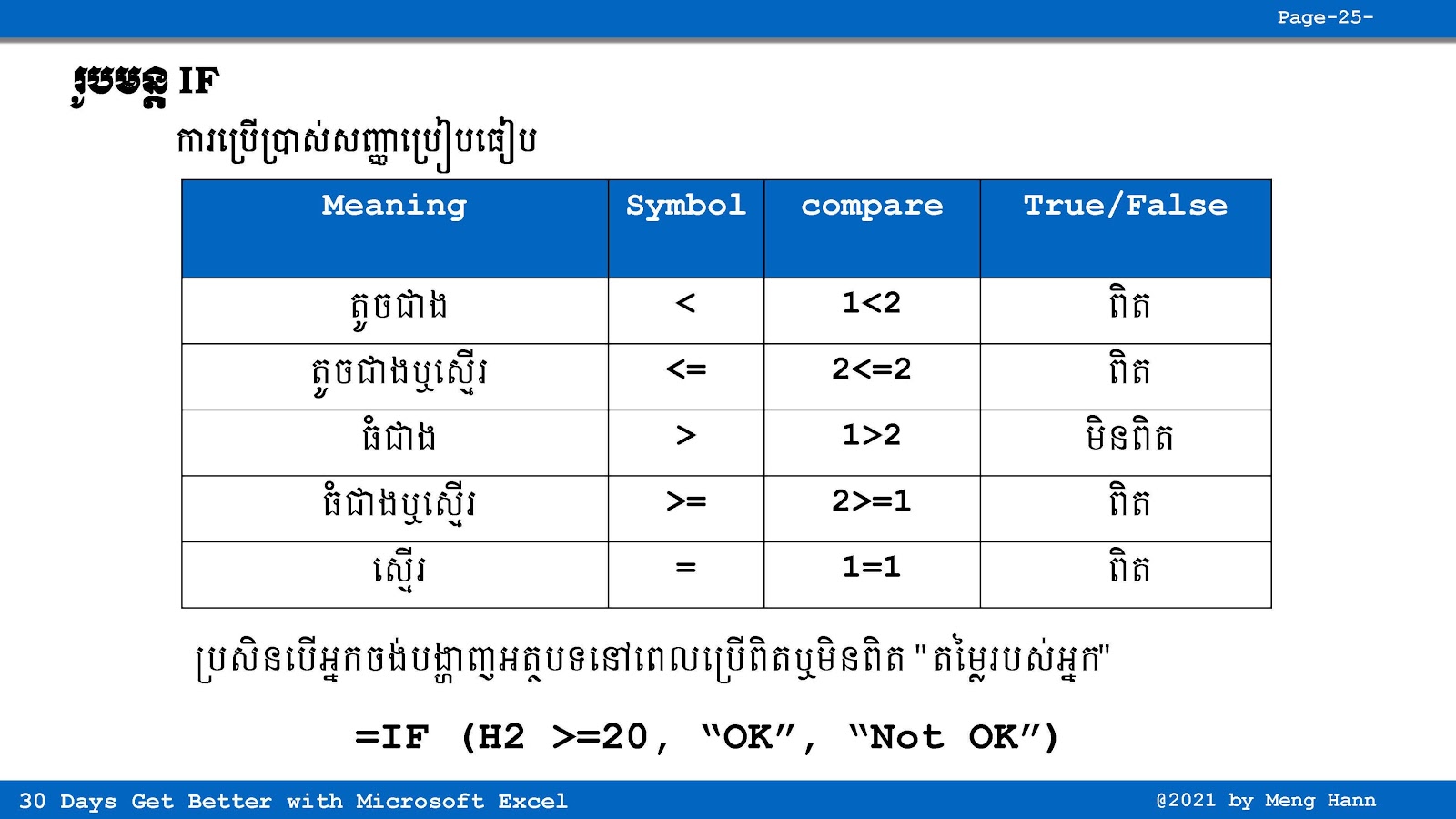
If formula is working base on condition, Excel will check the condition first before showing the result. If the condition is TRUE, then Excel will do something from the True Part. If the condition is not true or FALSE, Excel will do something else from the False Part instead.
This type of formula is very useful for decision making, automatic result, grading system, and many other calculations in Microsoft Excel.
IF Formula:
=IF(Something is True, then do something, otherwise do something else)
Go To Next Video Below
Join My Special Courses To Level Up Your Skills: 👉 UP SKILLS 👈
Useful Links
⚡Learn Code Khmer (HTML, CSS, JavaScript, ReactJS, PHP,...)⚡Free Download Khmer Books PDF
⚡Telegram: ReanComputer101