
How to Calculate Age in Excel with Number of Years Months and Days
If you have two different date in Microsoft Excel and you want to calculate as the following:- Total Days between two dates
- Total Months between two dates
- Find Age between two date like number of Year with month and days
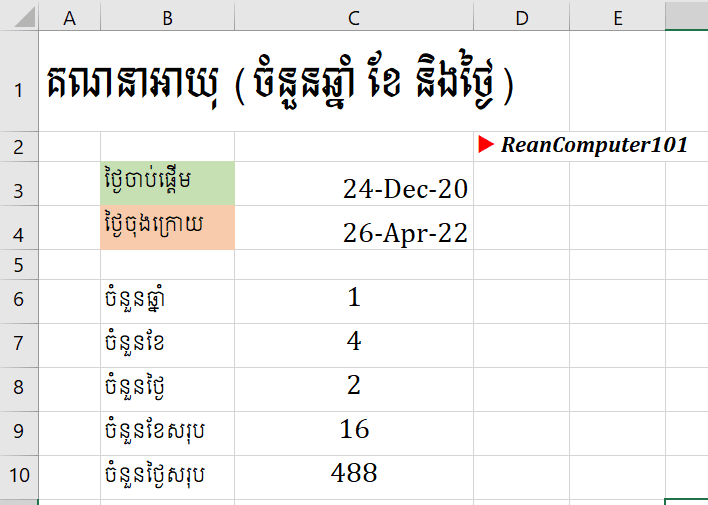
DateDif formula in Excel
=DATEDIF (start_date, end_date, format)
◾ start_date: Required, start date you want to calculate.◾ end_date: Required, end date you want to calculate.
◾ Format: required
- "y" Difference in complete years
- "m" Difference in complete months
- "d" Difference in days
- "md" Difference in days, ignoring months and years
- "ym" Difference in months, ignoring years
- "yd" Difference in days, ignoring years
WATCH MORE HOW TO FORMAT DATE IN KHMER IN EXCEL Download Example Excel File below
Go To Next Video Below
Join My Special Courses To Level Up Your Skills: 👉 UP SKILLS 👈
Useful Links
⚡Learn Code Khmer (HTML, CSS, JavaScript, ReactJS, PHP,...)⚡Free Download Khmer Books PDF
⚡Telegram: ReanComputer101