
Calculate Grade in Excel
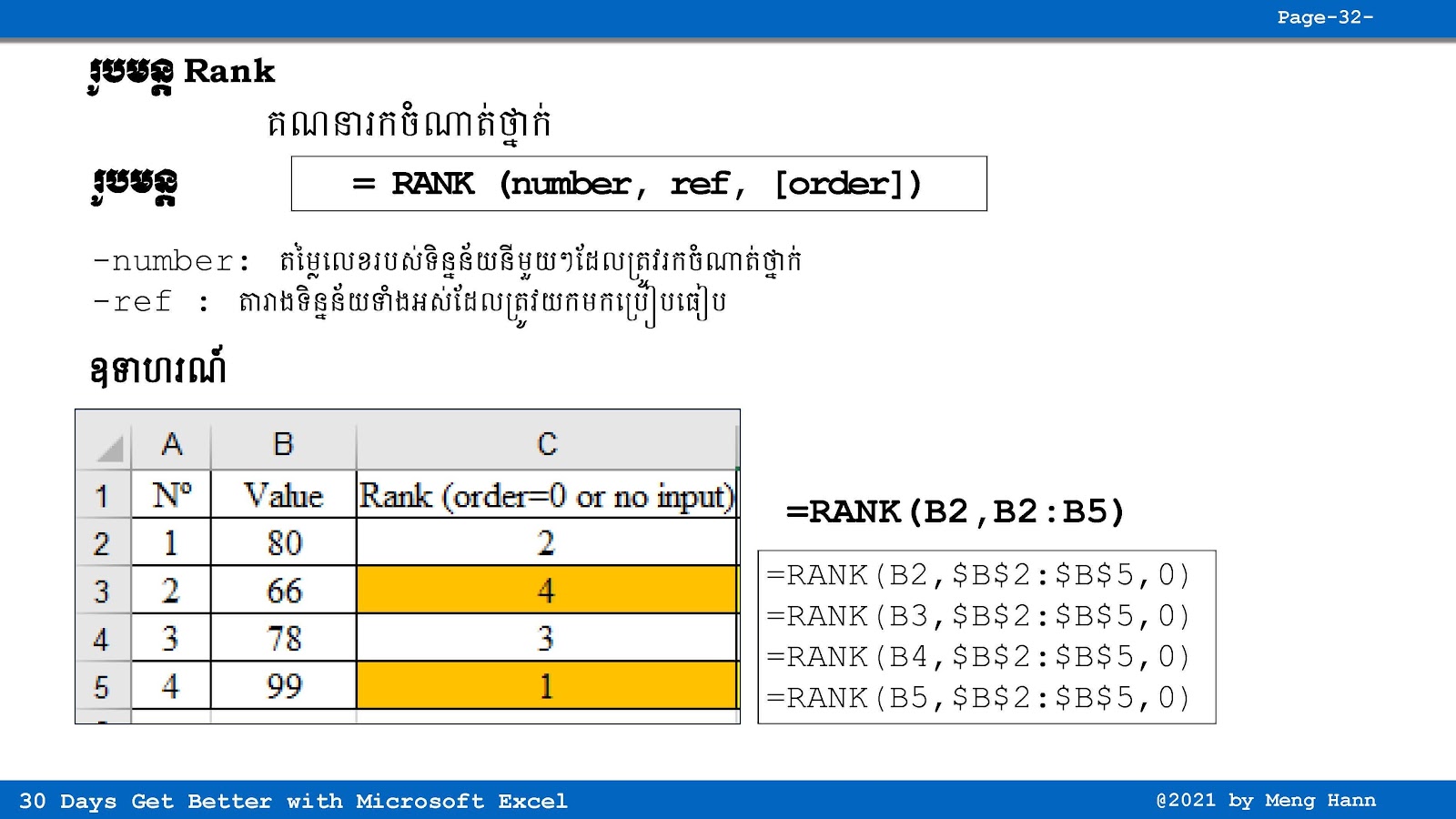
If you want to find number 1, 2, 3 and ranking in Excel, then RANK function could help you very easy. But it also comes with some tricks and confusion if you don’t understand the concept clearly. You need to know how Excel compare values and give position based on highest or lowest number.
Please refer to the video for more information and step by step example, so you can understand how Rank function really work in real Excel data.
RANK Formula
=RANK(Number,Ref,[order])
=Average(start_cell:end_cell)
◾ Number: Required, total or average value to find rank=Average(start_cell:end_cell)
◾ Ref: Required,set of range or cells to compare with number.
◾ [order]: optional
Go To Next Video Below
Join My Special Courses To Level Up Your Skills: 👉 UP SKILLS 👈
Useful Links
⚡Learn Code Khmer (HTML, CSS, JavaScript, ReactJS, PHP,...)⚡Free Download Khmer Books PDF
⚡Telegram: ReanComputer101
Tags
Advance Excel
Basic Excel
Excel
Excel Formula
Excel Khmer
Excel Tricks
Excel Tutorial
Rank Formula