
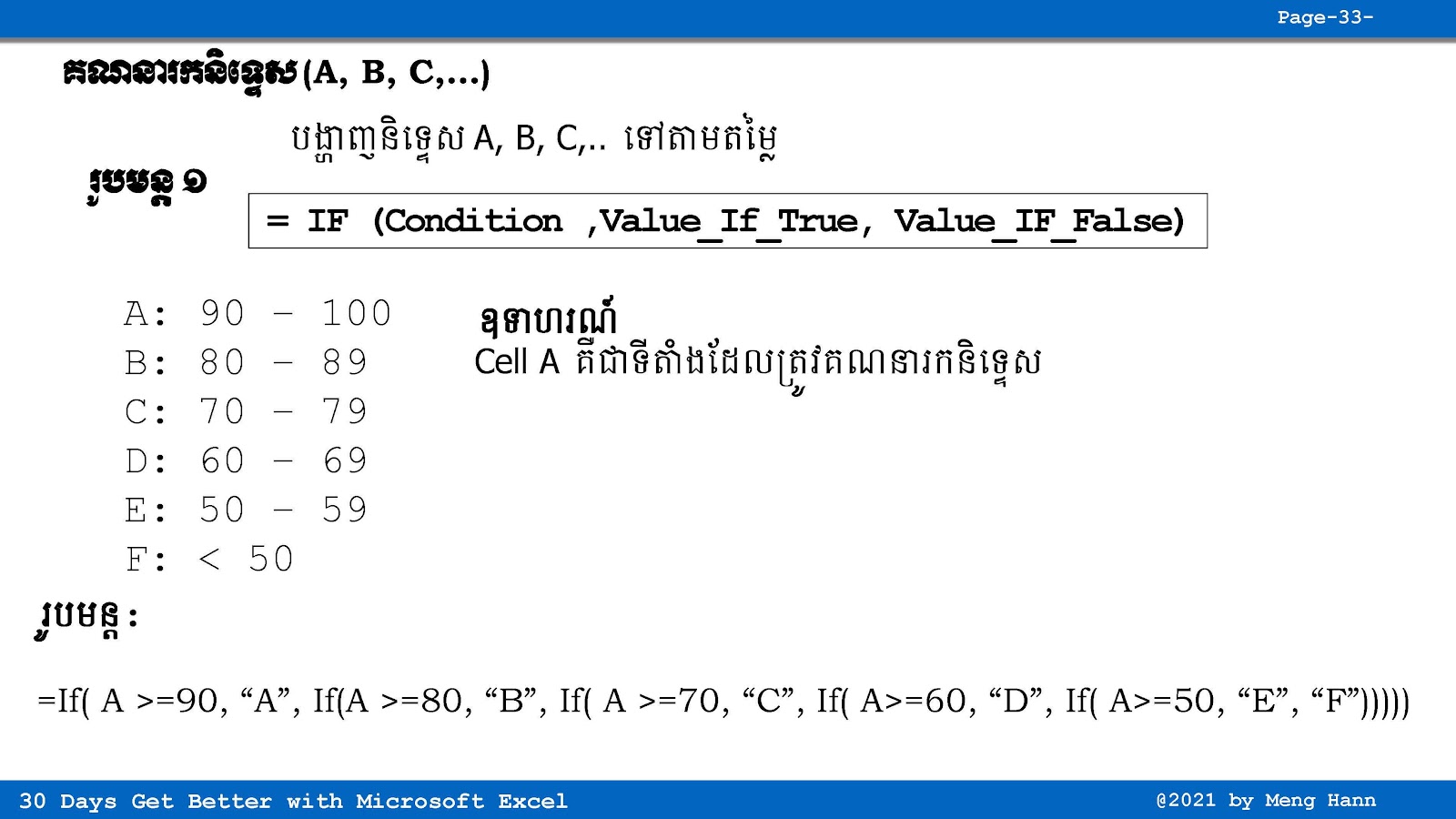
Calculate Grade (A, B, C,..) in Excel
(រូបមន្ត IF ក្នុង IF គណនាចំណាត់ថ្នាក់ A, B, C,...)
If you want to calculate grade in Excel, you can use IF formula to do that, but sometime the formula become long and little bit confusing for beginners.
This is called nested IF (IF inside IF), where you put one IF function inside another IF to check multiple condition like pass, fail, or different grade level. It is very useful but need practice to understand clearly in Excel.
Go To Next Video Below
Join My Special Courses To Level Up Your Skills: 👉 UP SKILLS 👈
Useful Links
⚡Learn Code Khmer (HTML, CSS, JavaScript, ReactJS, PHP,...)⚡Free Download Khmer Books PDF
⚡Telegram: ReanComputer101